App Store Connect, without the stress.
AppMeta lets you edit metadata, localizations, versions, and monetization locally — preview every change, then push safely when you’re ready.
Edit locally, not blindly
Make changes on your Mac instead of fighting the App Store Connect web UI.
See every change before pushing
Diff previews show exactly what will change — no surprises.
Built for real apps
Designed for multiple versions, multiple locales, and real-world monetization.
Fast, native workflow
Keyboard-friendly, responsive, and purpose-built for developers.
Screenshots
Swipe or drag to explore
Capabilities
What you can do
01
Metadata editing
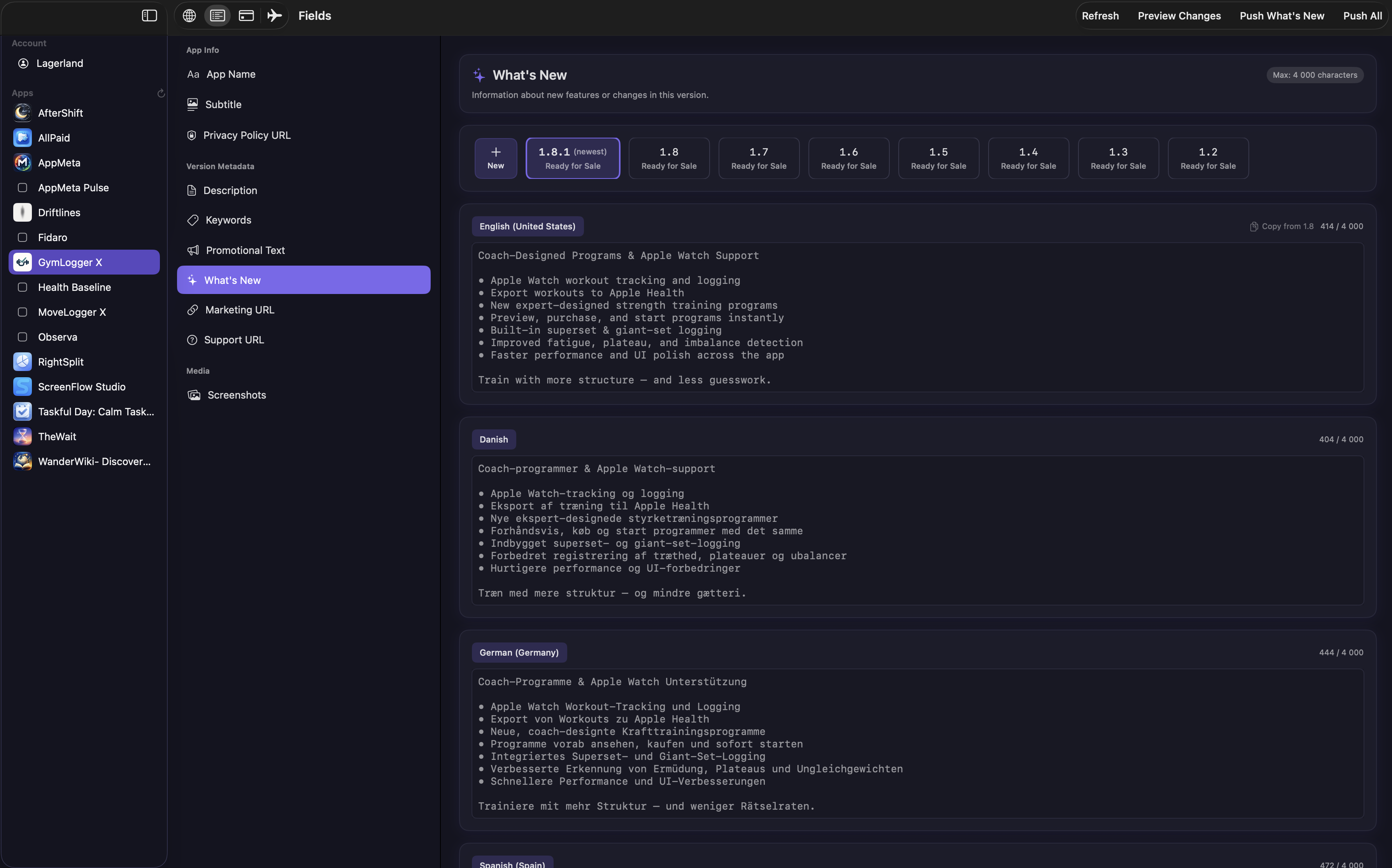
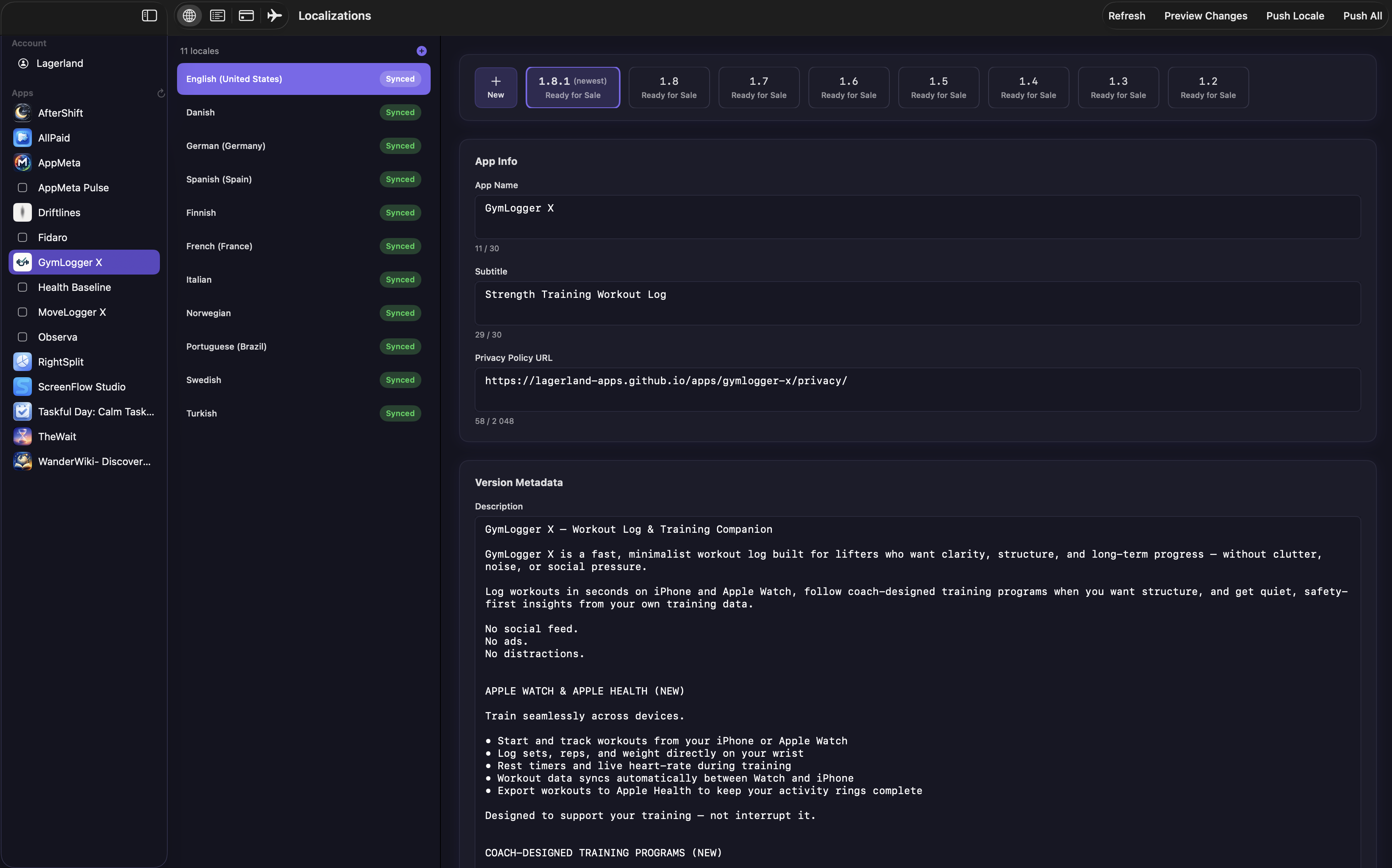
Edit app name, subtitle, descriptions, keywords, promotional text, and URLs with proper App Store field handling.
02
Localization management
View, add, and edit all localizations in one place — without losing context.
03
Version-aware workflow
Add new versions, switch editable versions, and reuse metadata from past releases.
04
In-App Purchases & Subscriptions
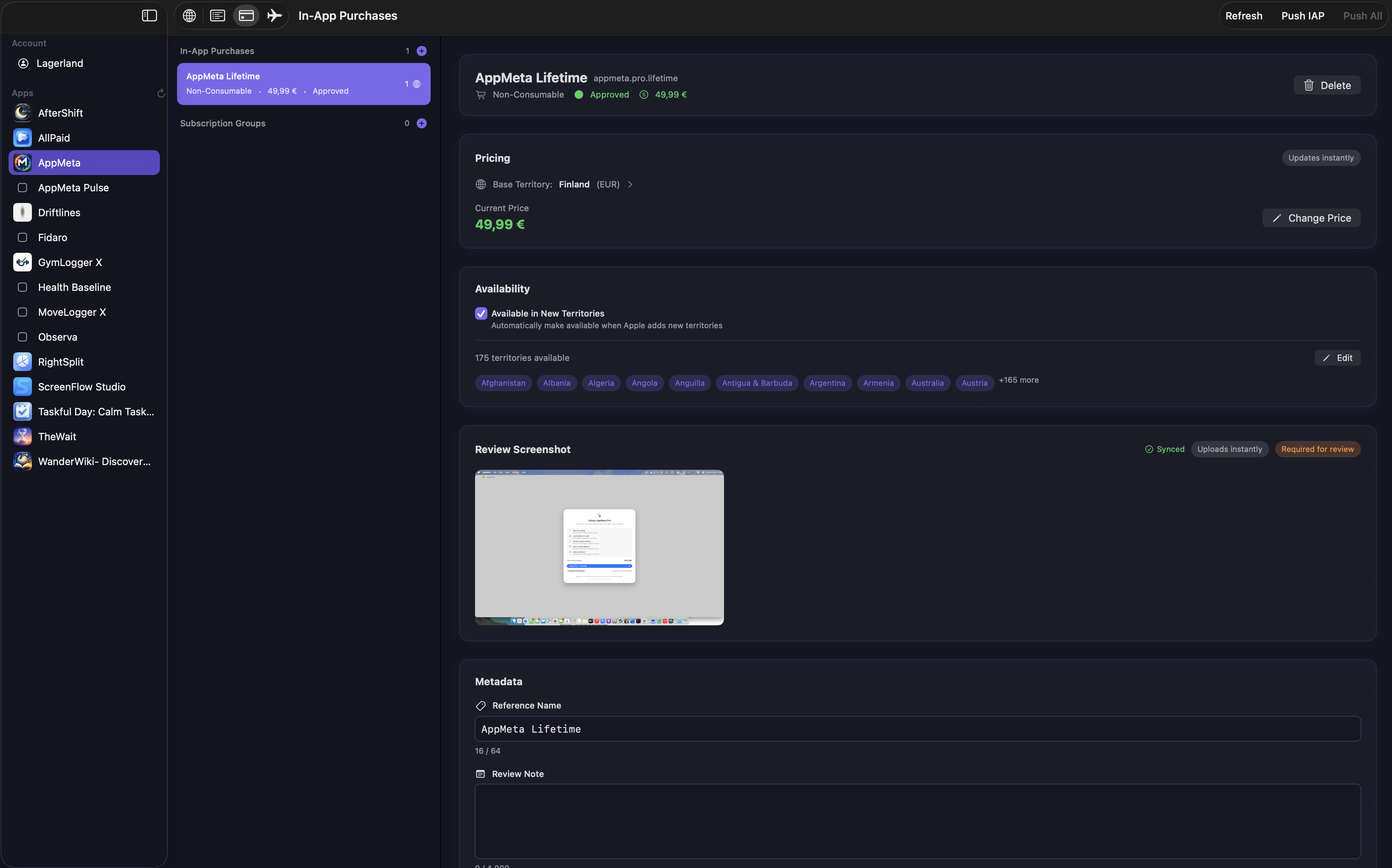
Create and edit IAPs and subscription groups, manage pricing, and upload review screenshots.
05
Diff-first syncing
Preview differences per field and per locale before syncing to App Store Connect.
06
On-device & secure
All API calls run locally. Credentials are stored securely in Keychain.
Pricing
AppMeta pricing
Transparent pricing on the App Store. Cancel anytime.
One-time purchase
FAQ
Is AppMeta safe to use with App Store Connect?
Yes. AppMeta uses Apple’s official APIs and runs locally on your Mac.
Does AppMeta replace App Store Connect?
No. AppMeta works alongside App Store Connect to improve metadata editing.
Is AppMeta an alternative to App Store Connect?
No. AppMeta works with App Store Connect. It gives you a safer, faster way to edit metadata before syncing changes.
Can I manage multiple apps?
Yes. AppMeta is built for developers managing multiple apps and versions.
Does it support localizations?
Yes. You can view, add, edit, and compare all App Store localizations.
Can I edit in-app purchases and subscriptions?
Yes. AppMeta supports IAP metadata, subscription groups, pricing, and review screenshots.
Is my data sent anywhere else?
No. AppMeta runs entirely on your Mac and communicates only with App Store Connect.
Privacy
Data collection
none
Tracking
No
Account required
No
- No ads. Ever.
- No third-party tracking.
- All App Store Connect communication happens on-device.
- Credentials stored securely in macOS Keychain.
Ready?
Try AppMeta today.
AppMeta lets you edit metadata, localizations, versions, and monetization locally — preview every change, then push safely when you’re ready.